
How-to guides
Two-Factor Authentication
Two-Factor Authentication, adds an extra layer of protection to your system and intranet/extranet login.
Updated 2026-08-16
Two-Factor Authentication adds an extra layer of protection to your system and intranet/extranet login. With MFA, your password alone is no longer enough to access your system; it has dramatically improved the security of the personal information you store in the system. You can enable the MFA feature, which mandates personnel to enter an additional passcode (Time-based One-Time Password (TOTP) after entering the login password. So, even if an unauthorised person knows the system credentials, the MFA feature secures an account against unauthorised logins.
Bloo uses Time-based OTPs for Two-Factor Authentication (2FA), you will require an Authenticator Application.
Prerequisites
- Configure SMTP on Bloo Console
- Authenticator Application
Recommended Applications
- Google Authenticator
- Microsoft Authenticator
- Authenticator Chrome Extension
How to enable Two-Factor Authentication (2FA)?
- Navigate to Administration Panel > Organizations, the following screen will be displayed.
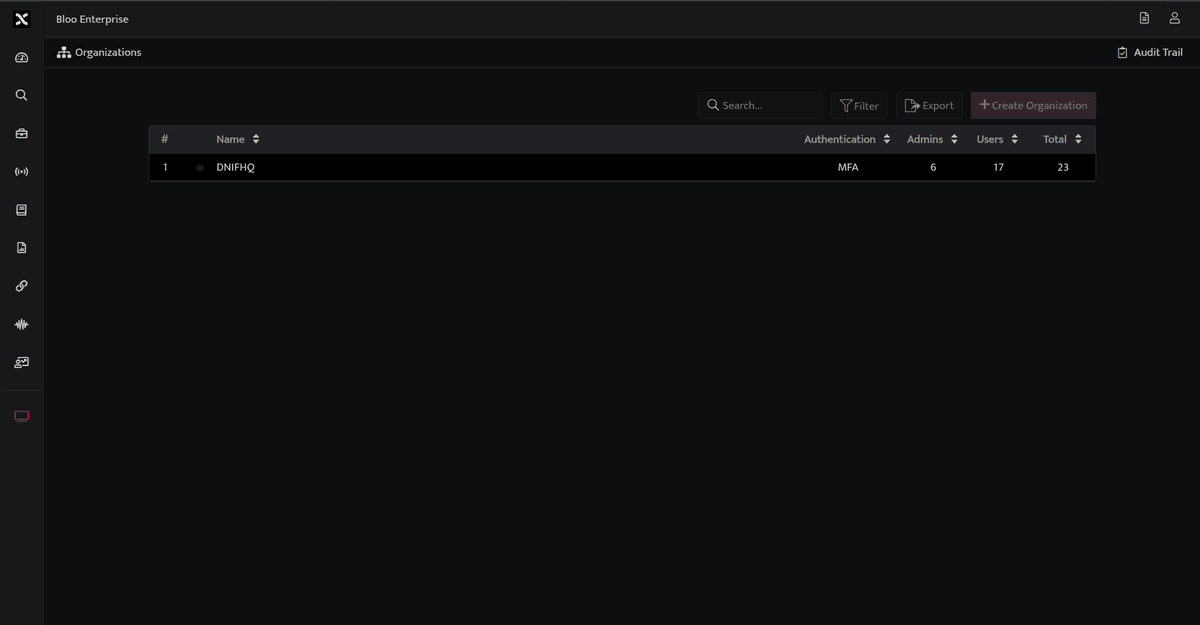
- In order to enable Two-Factor Authentication (2FA) for an organization, toggle on the 2FA status for that organization.

- As the Two-Factor Authentication (2FA) is enabled for an organization, all the users will receive an email bearing the secret required to configure the Authenticator App.
- Once the Two-Factor Authentication (2FA) is enabled, all the users will have to provide an OTP in addition to the email address and password for Authentication.
Reset Two-Factor Authentication (2FA)
- In order to reset the Two-Factor Authentication (2FA) for a user, Navigate to Administration Panel > Manage Users, the following screen will be displayed.

- Select the user for which you want to reset Two-Factor Authentication (2FA) and click Reset 2FA.
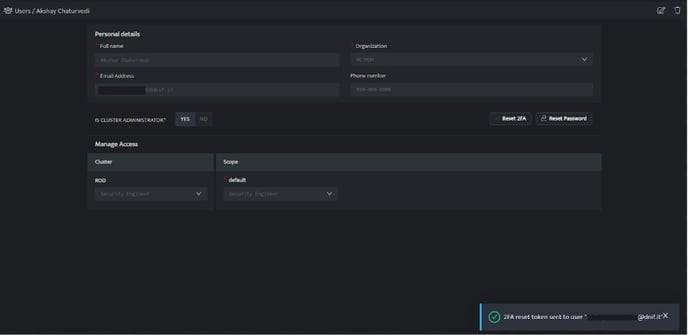
- An email will be sent to the user bearing the secret required to reconfigure the Authenticator Application.
Related
Was this page helpful?