
How-to guides
Schedule a report
How to schedule a report
Updated 2026-08-16
The following are the steps to schedule a report:
- Click the Reports icon on the left navigation bar, it will display the list of existing Reports.
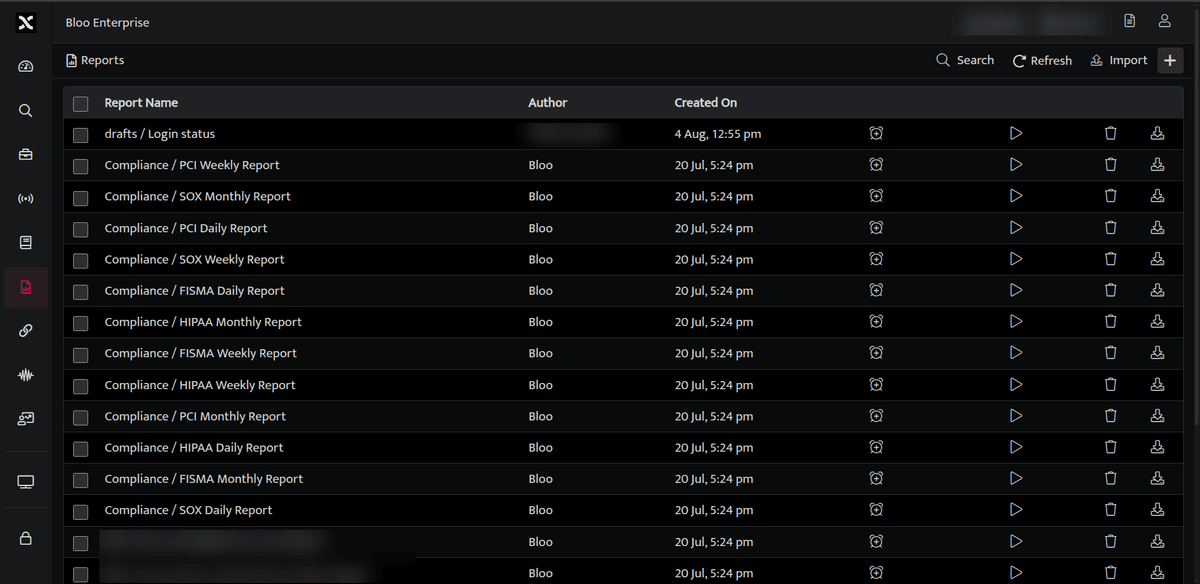
- Click Schedule icon, against the report name you want to schedule.
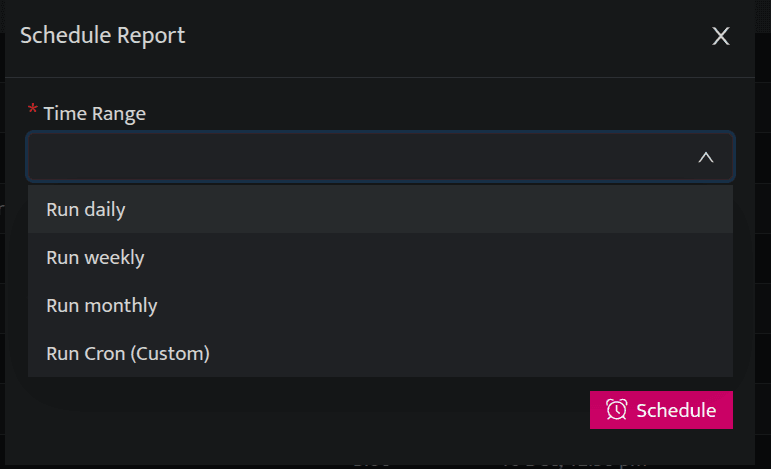
The following parameters are available for scheduling a report:
| Time Range | Description |
|---|---|
| Run Daily | Schedule on a daily basis at a particular time |
| Run Weekly | Schedule on a weekly basis at a particular time. You can schedule it for multiple days in a week. |
| Run Monthly | Schedule on a monthly basis at a particular date and time |
| Run Cron (Custom) | Enter the required Cron Value to be scheduled. The cron value should be entered in format. For example, 21 4 1 2 1: 21 represents minutes, 4 represents hours, 1 represents date of the month, 2 represents month, 1 represents day of the week. Here in the above example, the scheduler will run at 4:21 on 1st February, 2021 (Monday) |
| Timezone | Select the timezone as per your local time zone. |
- Click Schedule, to schedule a report and update the details in the report list page.
For more examples refer the following table:
| Minute | Hour | Date of the Month | Month | Day of the Week | Result |
|---|---|---|---|---|---|
| 21 | 4 | * | 2 | * | The scheduler will run at 4:21 on 1st February, 2021 (Monday) |
| 21 | 4 | * | 2 | 3 | The scheduler will run at 4:21 on 3rd February, 2021 (Wednesday) |
If the value is left as
* * * * *then the cron will be scheduled to run after every minute.If the fields for date, year, and day are mentioned as
*then it will be scheduled for that set time everyday.If the fields for month and day of the week are mentioned as
*, then the cron will be scheduled for the particular date and time every month.If only the day of the week is mentioned as
*, the cron will be scheduled for the particular date of the month.Example:
00 01 * 10 *. If the time is set to 1:00 on October and the fields of date and day of the week are marked as*. In this case it will be scheduled to run at 1:00 am. on 1st of October 2020.Click the unschedule button to cancel a scheduled report.
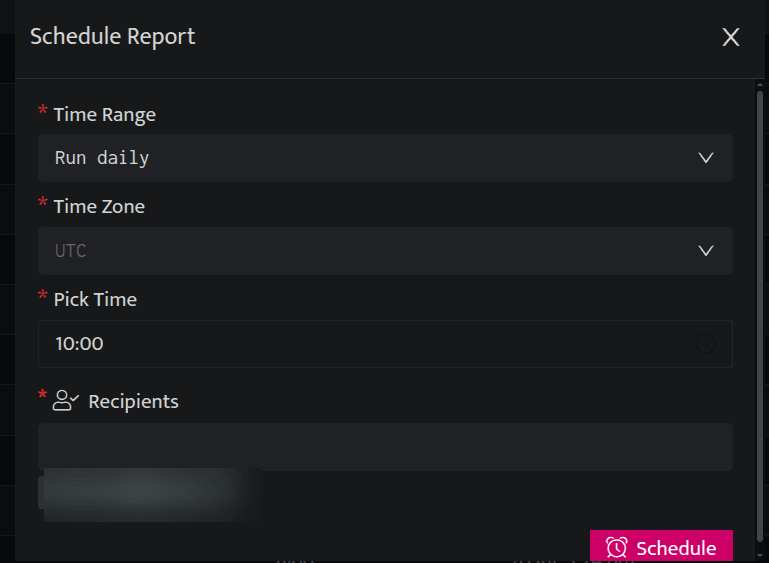
You can reschedule or unschedule a report. Click the Schedule icon, Schedule report window will be displayed, update details here and click Reschedule or click Unschedule to stop the scheduling process of that particular report.
Related
Was this page helpful?