
Reference
Schema on Read (Legacy)
Access structured data in your logs without extraction using the @ field prefix.
Updated 2026-08-17
Schema on Read (Legacy)
Introduced in v9.1.1
Phase I
Access Structured Data in your logs without Extraction. With DQL, you can now access JSON and structured Key Value fields without extraction.
- Non-extracted fields are referred to in the query with
@prefix instead of$prefix. @fields can be used in_fetchselection, where and group clauses alongside extracted fields
JSON
For JSON logs you can add @ prefix i.e. @fieldname to extract the field details of that particular column.
Example 1
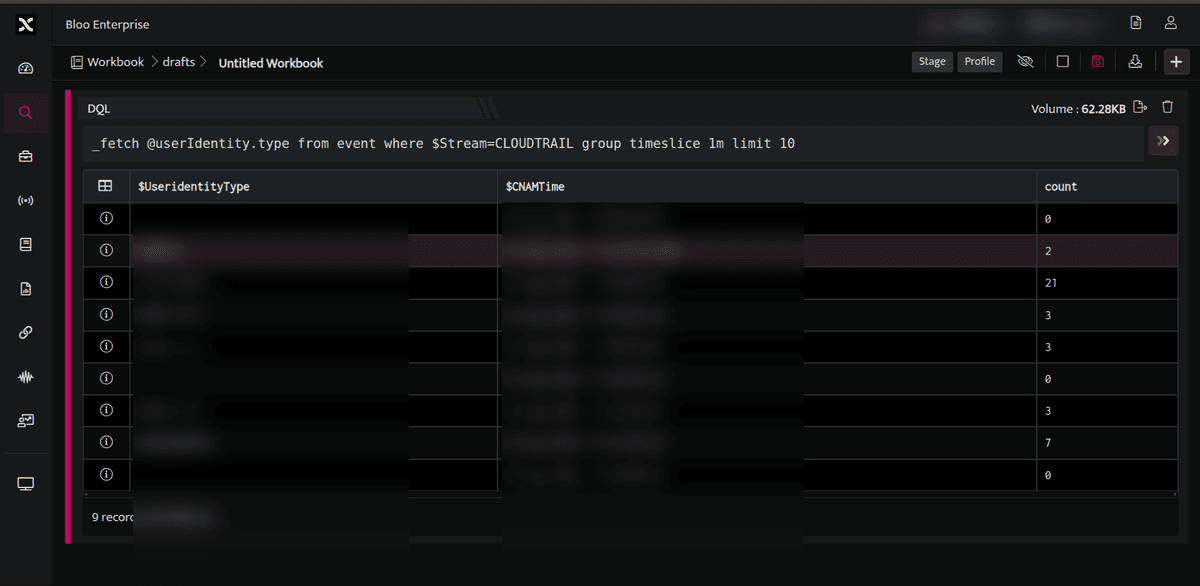
_fetch @userIdentity.type from event where $Stream=CLOUDTRAIL group timeslice 1m limit 10This query will retrieve all the UserIdentity.type fields for each event where $Stream=CLOUDTRAIL in the last one minute. The output will be displayed as below.
Example 2
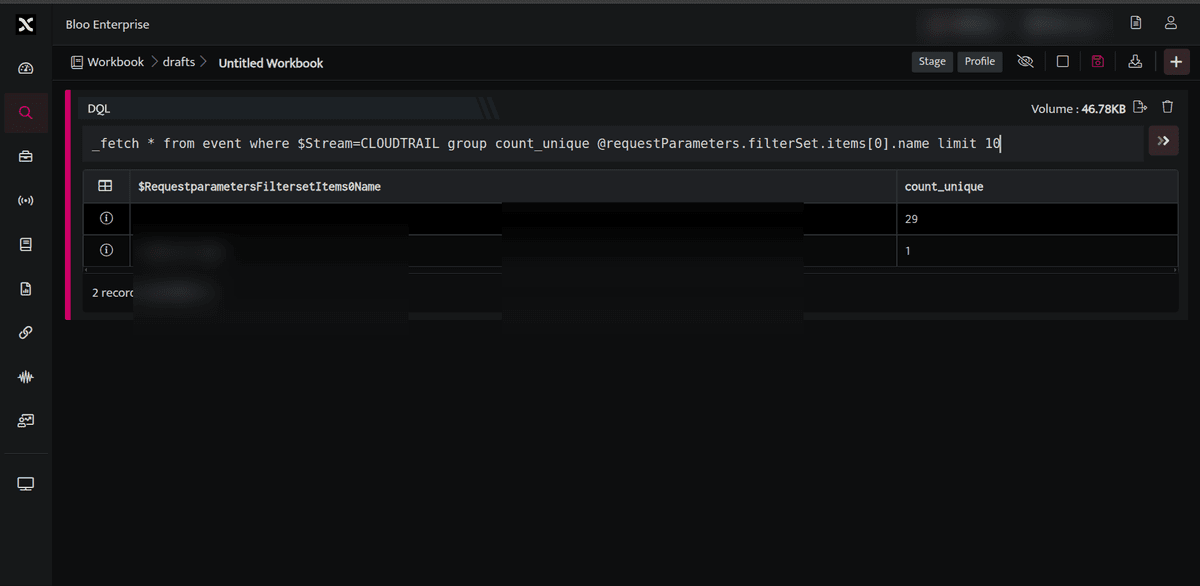
_fetch * from event where $Stream=CLOUDTRAIL group count_unique @requestParameters.filterSet.items[0].name limit 10This query will retrieve all the Requestparameters.Filterset.Items.Name fields for each event where $Stream=CLOUDTRAIL. The result set is grouped by unique values of RequestparametersFiltersetItems0Name along with a count (count_unique) for each. The output will be displayed as below:
Key Value
Example
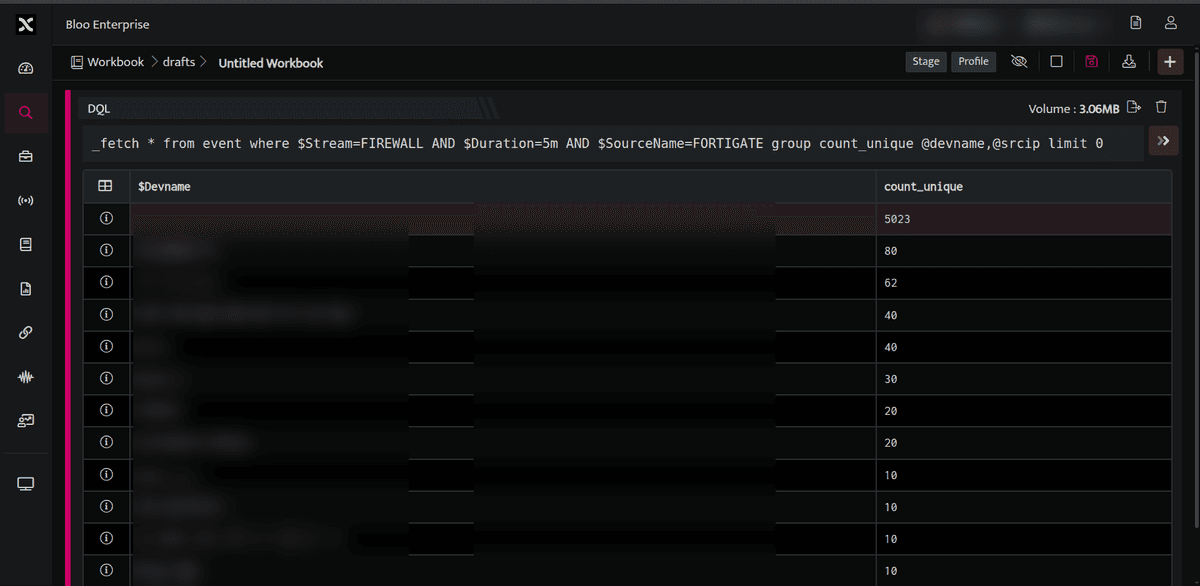
_fetch * from event where $Stream=FIREWALL AND $Duration=5m AND $SourceName=FORTIGATE group count_unique @devname,@srcip limit 0This query will retrieve all the $Devname and $srcip where $Stream is Firewall and $Sourcename is Fortigate. The output will be displayed as below.
Related
Was this page helpful?