
How-to guides
FortiGate
Automation examples for taking action on FortiGate servers, including adding and removing hosts from address groups.
Updated 2026-08-17
FortiGate
Automation Guide for Bloo
1. Overview
This article lists examples demonstrating practical use cases for taking action on FortiGate servers.
2. Add Host to Group
The below configuration allows you to connect to the FortiGate host and run any command.
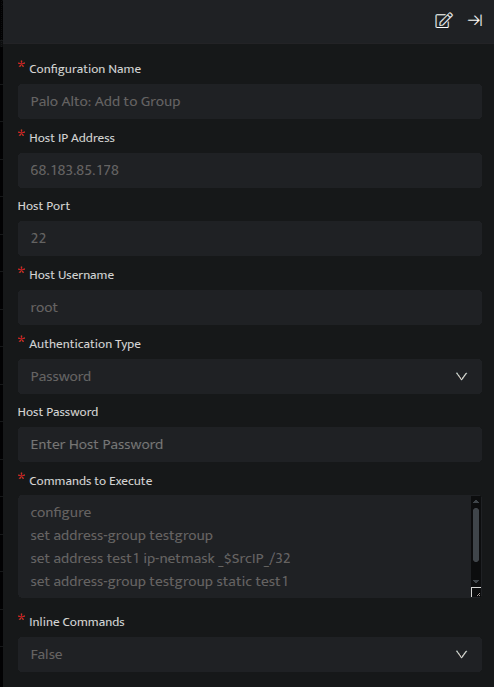
In the above configuration, execute the following commands:
conf firewall address
edit [Address name]
set subnet _SrcIP_ 255.255.255.255
end
conf firewall addrgrp
edit [Address group name]
append member [Address name]
endThe above set of commands will add an IP Address to a certain group. Replace [Address name] with a name for the new address object, and [Address group name] with the name of the existing address group on your FortiGate.
Ensure the commands are valid for your FortiGate version using the official documentation. See the Related Links section below.
In the above figure, a search query is executed that displays all the suspicious IP Addresses that have failed at their login attempts more than 50 times. Using the _trigger query, an API call is made to the above SSH integration configuration, which will add the IP Addresses in the SrcIP column to the group mentioned in the configuration.
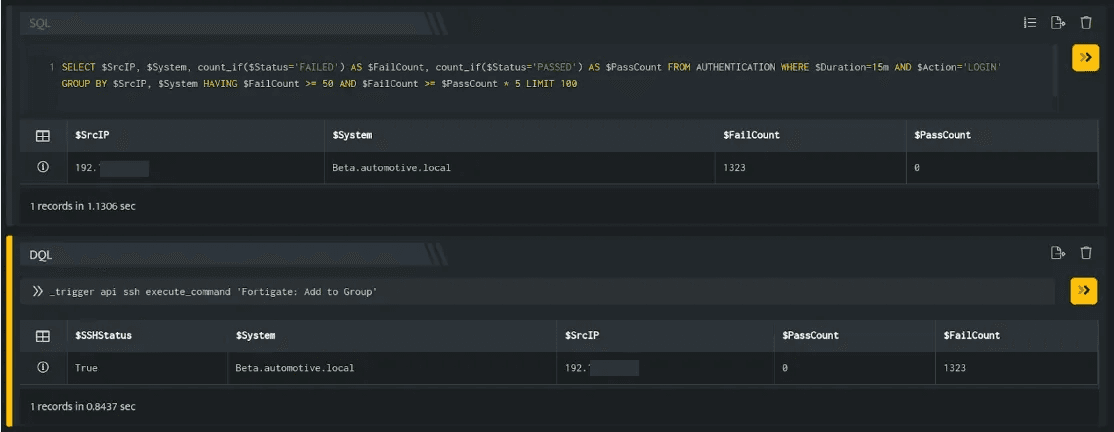
Important: You need to apply the firewall rules to block the IP Addresses present in the group.
3. Remove Host from Group
The below configuration allows you to connect to the FortiGate host and run any command.
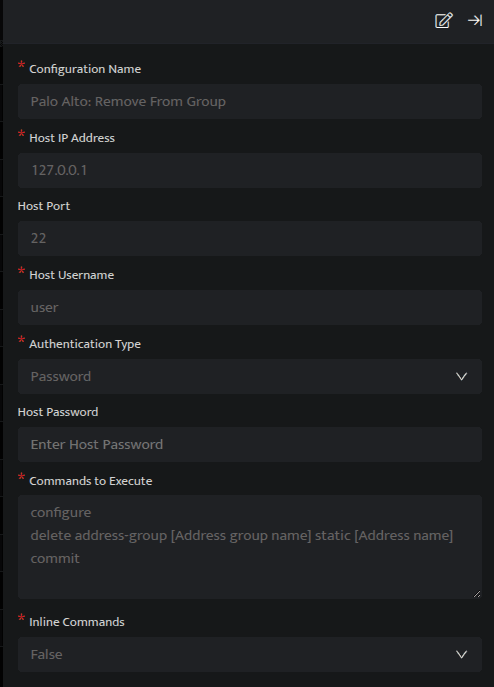
In the above configuration, execute the following commands:
conf firewall addrgrp
edit [Address group name]
unselect member _SrcIP_
endThe above set of commands will remove an IP Address from a certain group. Replace [Address group name] with the name of the existing address group on your FortiGate.
Ensure the commands are valid for your FortiGate version using the official documentation. See the Related Links section below.
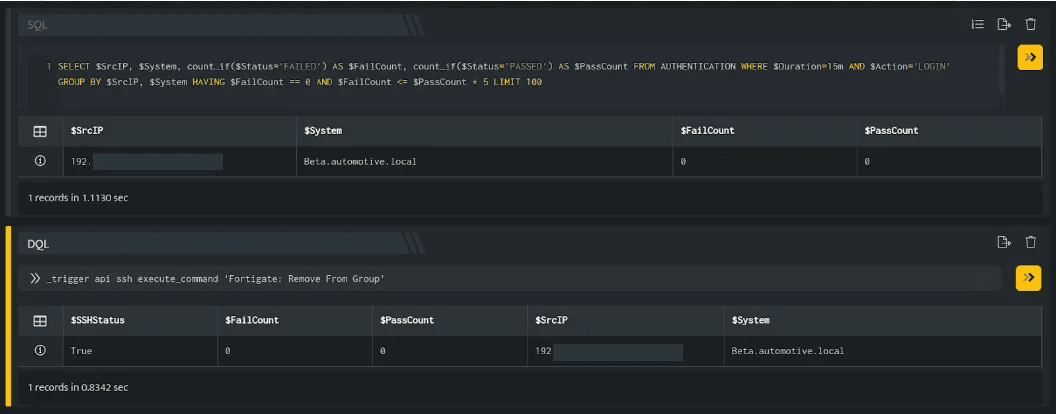
In the above figure, a search query is executed that displays all the IP Addresses that do not have any failed login attempts. Using the _trigger query, an API call is made to the above SSH integration configuration, which will remove the IP Addresses in the SrcIP column from the group mentioned in the configuration.
4. Related Links
Related
Was this page helpful?