
Troubleshooting
Active Threat Content Synchronization
Active threat
Updated 2026-08-16
Policy and Guidelines
Bloo introduces Active Threat Content delivery to arm Security Operations with continuously updating security content. Security engineers can now focus on triage, investigation and responding to threats as opposed to writing the searches. Bloo brings instant access to pre-built content through ATC synchronisation through UNET. As new threats emerge, Bloo customers will automatically receive new detection content and be able to put this content into action immediately.
How Bloo does it?
- The ATC Sync replaces the Bloo Authored content with the improved content, which will improve our ability to detect true positive behaviours.
- The ATC Sync is promoted on a continuous basis to bring new and improved detection mechanisms to our customers
What exactly gets synchronised?
All the native content which is 'Authored' by Bloo, including the following:
- Detection queries in Workbooks
- Dashboards
- Reports
- Native Extractors
Recommendations for Users
- The native content will be force-synced resulting in loss of any local changes.
- For users looking to customize Bloo out-of-the-box content, we recommend making a copy of the native content
- Bloo recommends following steps to be taken by Users to preserve changes made at User's end.
- For end users who have modified the native (Bloo authored) Extractor must:
- Make a copy of the modified native extractor
- Disable the native extractor
- Create a custom extractor and paste the copied content of native extractor and make the required changes.
- Enable the custom extractor.
The above steps should be repeated for every modified native extractor. It should be ensured that duplicate extractors for any particular device do not exist, as it might impact the events not getting extracted as desired
As a measure to handle conflicting extractor id's, Bloo reserves extractor-id up to 10000. Any custom parser should add an extractor-id greater than 10000 and maintain their own record of extractor-id's.
For end users who have modified the OOTB Detection rules, Dashboards, Reports etc, then they must:
- Make a copy of the workbook and keep the Bloo authored workbook intact.
- Make all custom changes to your copy and save.
How to view what is revised during ATC Synchronisation?
Native Workbooks display the flag of "New" and "Updated" for 24 hours post Synchronization
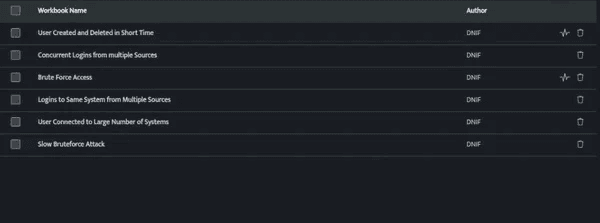
Bloo maintains absolute transparency to all our users through Bloo's Github repository. We encourage our users to make active use of Content repository for understanding new and improved detection content.
Related
Was this page helpful?