
How-to guides
Create a Return Block
In the Workbook section, the Return Block is essential for managing the flow of control and data between different workbooks.
Updated 2026-08-14
In the Workbook section, the Return Block is essential for managing the flow of control and data between different workbooks. It works similarly to the Call Block and provides a mechanism to return control and values to the calling workbook.
Overview
- It passes the output of the previous block that was executed in the calling workbook to the called workbook on the Return Block.
- Once the called workbook finishes its execution, the Return Block ensures that control and specified output are passed back to the calling workbook.
How to add a Return Block?
Steps to Configure Return Block:
Navigate to the Blocks Section:
- Hover on the Workbooks icon on the left navigation bar, it will display the folder-wise view of existing workbooks in the tenant (previously known as cluster).
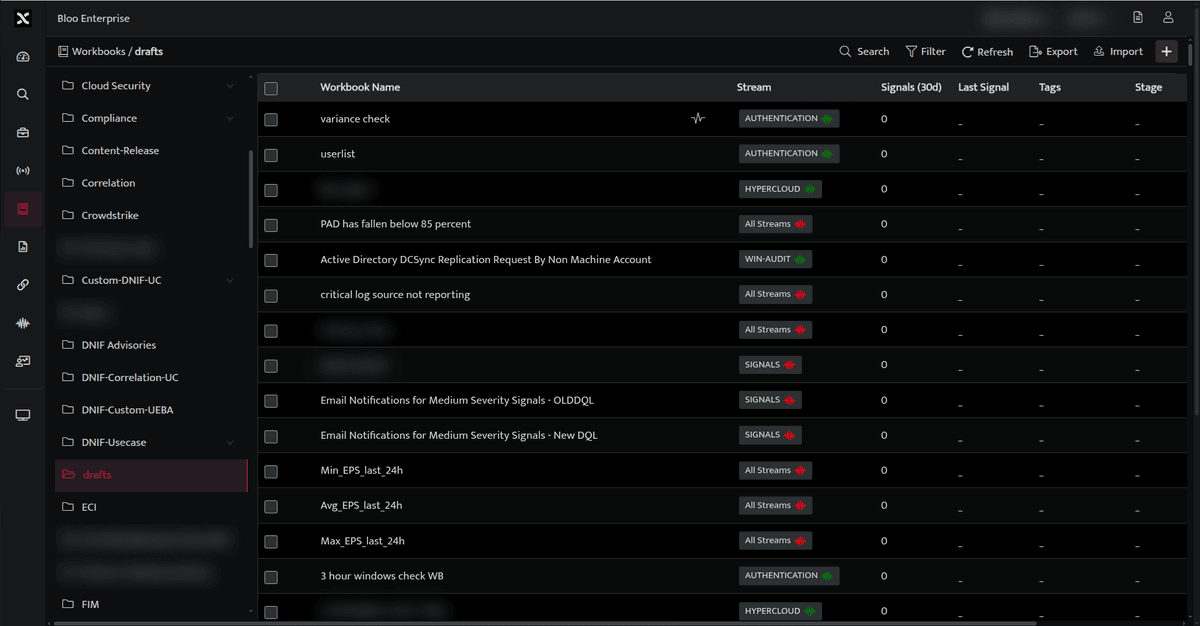
- Create a new workbook or open an existing workbook.
- Within the Return Block select the workbook that you want to call.
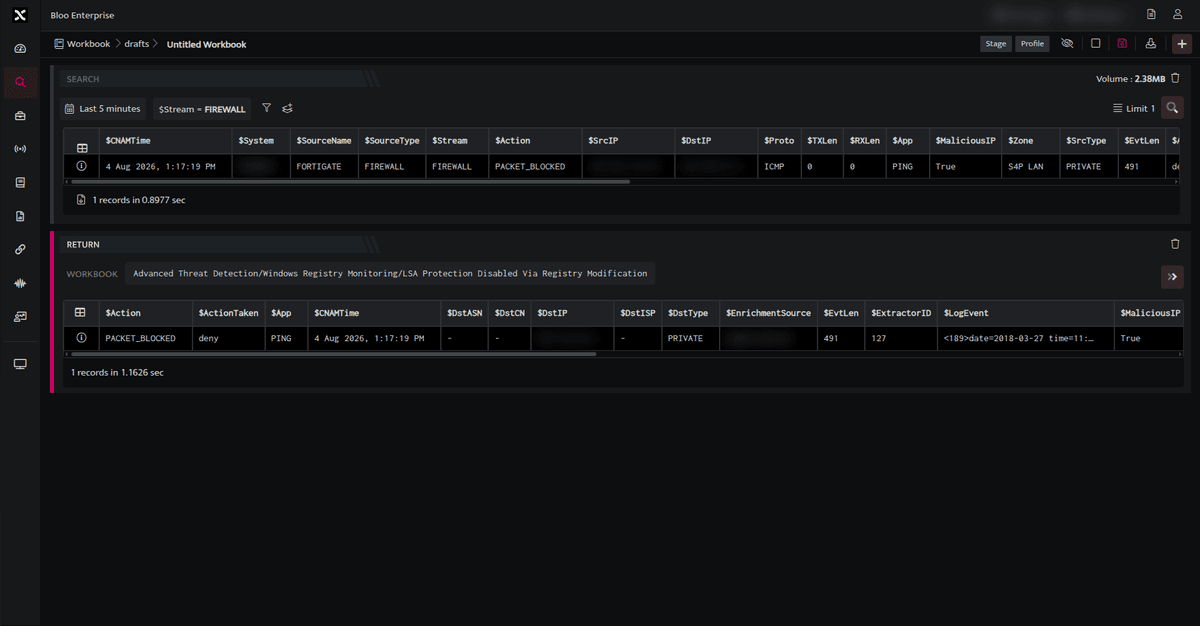
- Run the Return Block.
- The resultset from the previous block is passed to the Workbook called in the Return Block. The Workbook mentioned in the Return block is executed.
- Once the Return Block is executed, control and data are returned from the called Workbook to the calling workbook. As a result, the result set from the called Workbook is displayed in the Return Block.
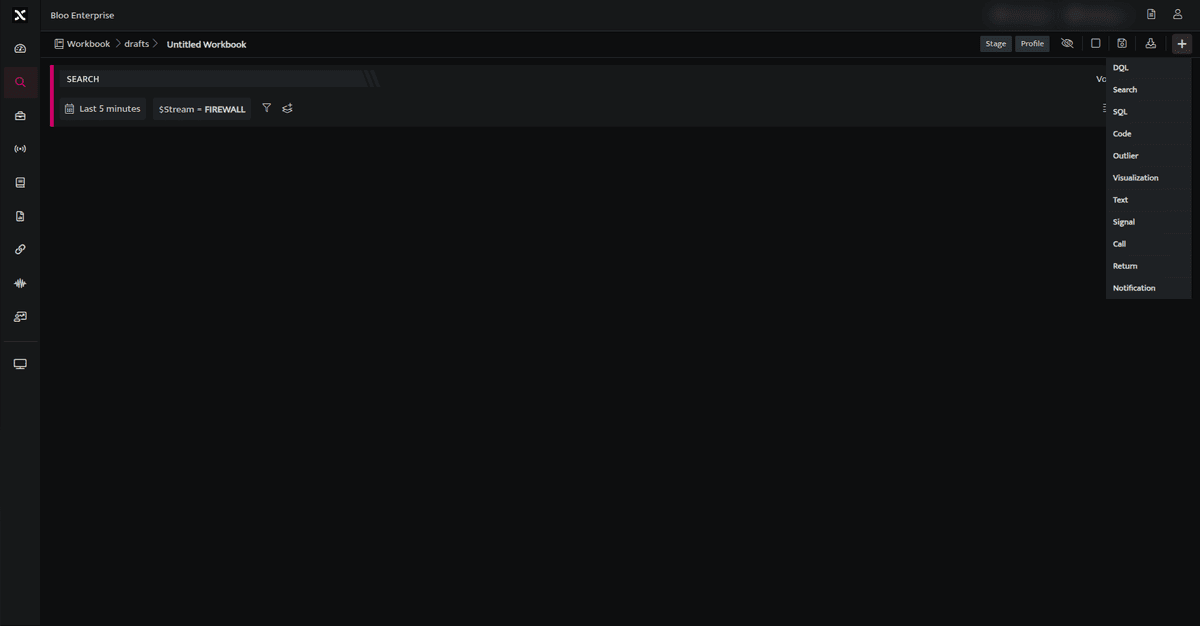
- In the Workbook page, click on Plus icon. This will take you to a list of available blocks then select the Return Block from the list.
Related
Was this page helpful?