
Connectors
JumpCloud Connector
Connectors in Bloo
Updated 2026-08-17
Overview
JumpCloud is a comprehensive cloud-based directory platform that provides secure authentication, device management, and user provisioning services. This connector fetches logs from the specified JumpCloud service, enabling real-time monitoring and integration with Bloo.
Prerequisites
- JumpCloud account with administrative access
- API Key
- Service Name — the specific JumpCloud service from which you want to collect logs
Note Administrative access is required. Only administrator roles can access the JumpCloud API. Command runner roles will receive a 403 error.
Generate an API Key
Log in to the JumpCloud Admin Portal.
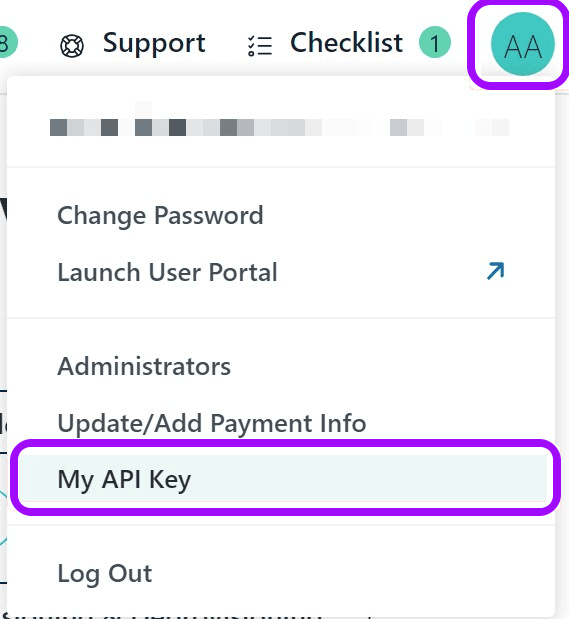
Click your account initials in the top-right corner and select My API Key.
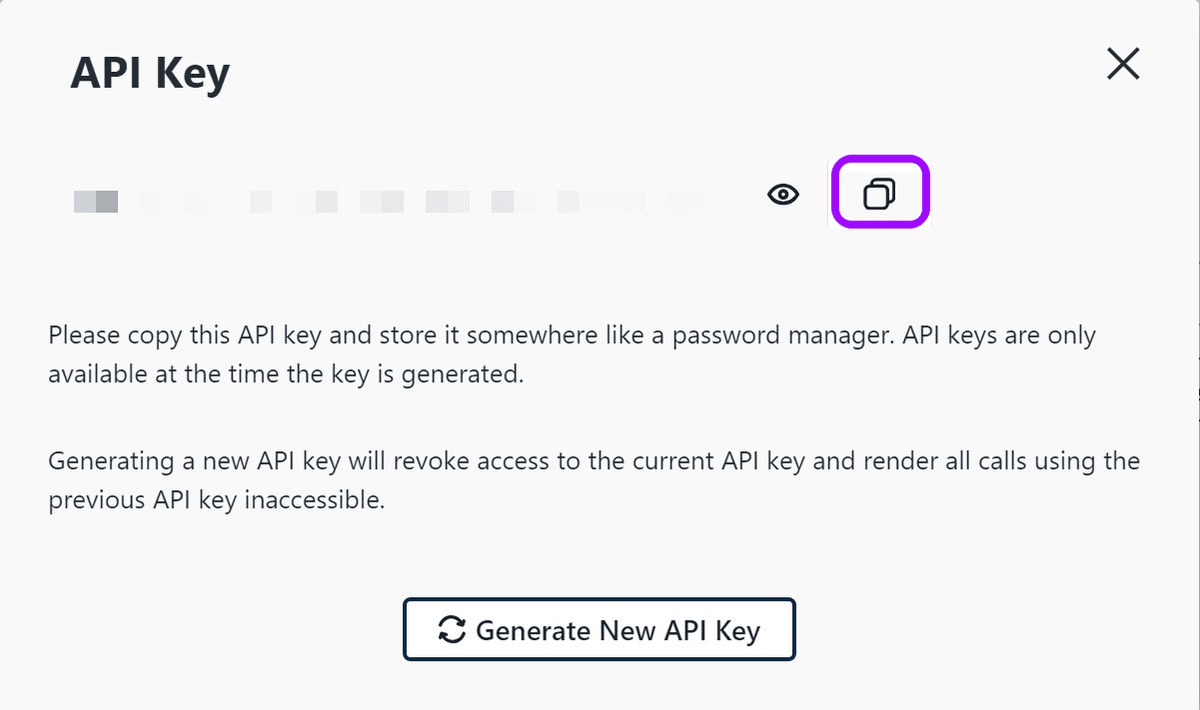
Click Generate API Key to create a new key.
Copy and store it securely, as it will not be displayed again.
Warning Copy your API key immediately and store it in a secure location. It will not be displayed again after you navigate away. JumpCloud API keys expire after 90 days by default. If your key expires, the connector will stop working and you will need to generate a new key and update the configuration in Bloo.
Configure the JumpCloud Connector in Bloo
All connector configuration is done from the Datasource page in Bloo.
| Field Name | Description |
|---|---|
| Connector Name | Enter a name for the connector. |
| API Key | Enter the API key generated above. |
| Service Name | Select the specific JumpCloud service from which you want to collect logs. |
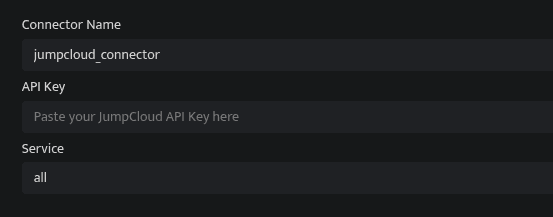
Click Save after entering all the required details.
Bloo will validate the configuration automatically.
Navigate to Collection Status and confirm the connector is listed with a status of Active. This signifies the connector is configured successfully and data is ready to ingest.
Confirmed When the connector appears in Collection Status with status Active, it is configured successfully and data is ready to ingest.
Related Links
Bloo — Collection Status | Bloo — Connector Validation | JumpCloud — API Keys | JumpCloud Admin Portal | Bloo — Troubleshooting Connector Validations
Related
Was this page helpful?