
Connectors
Netskope Connector
Connectors in Bloo
Updated 2026-08-17
Overview
Netskope One is a cloud-based platform that provides integrated security and networking solutions, supporting your transition to Secure Access Services Edge (SASE) and Zero Trust principles. Bloo can collect, normalize, and monitor Netskope logs to help you identify abnormal activity within your Netskope account in real-time.
Prerequisites
- Tenant URL
- API Token
Note A user with the Netskope Administrator role is necessary to generate an API token.
Step 1 — Generate an API Token
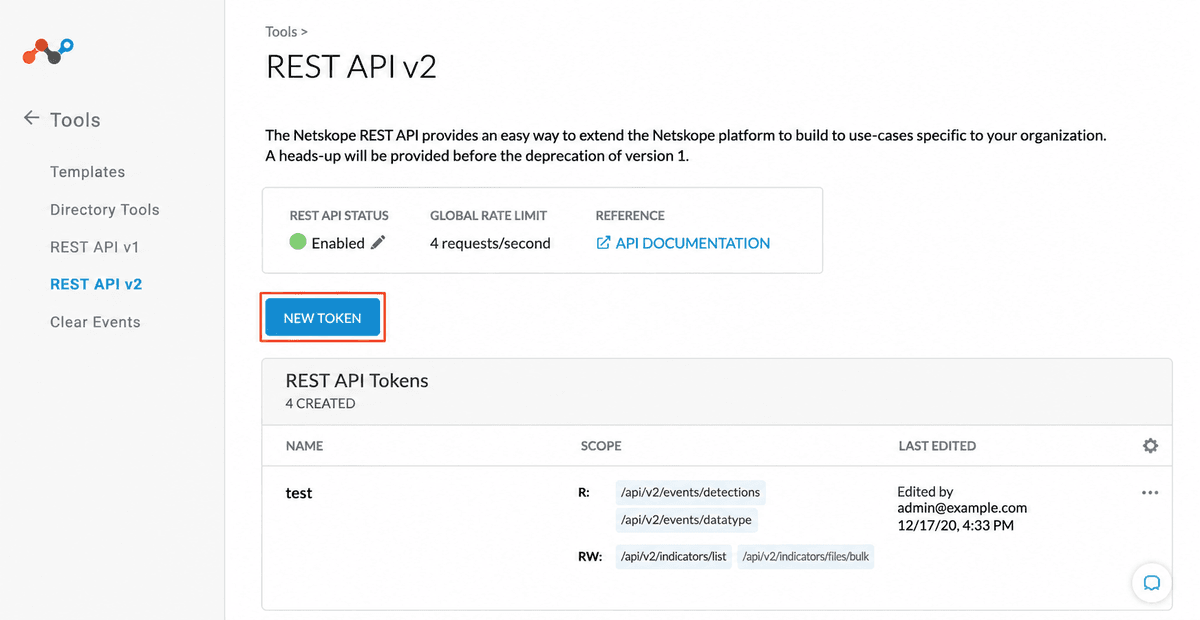
- In your Netskope account, navigate to Settings → Tools → REST API v2.
- Click New Token. The Create REST API Token window displays.
- Click the Add Endpoint dropdown and select the following endpoints:
/api/v2/events/token/transaction_events— for transaction events/api/v2/events/dataexport/events/alert— for alert events
- Select the Read radio button in the Privilege column.
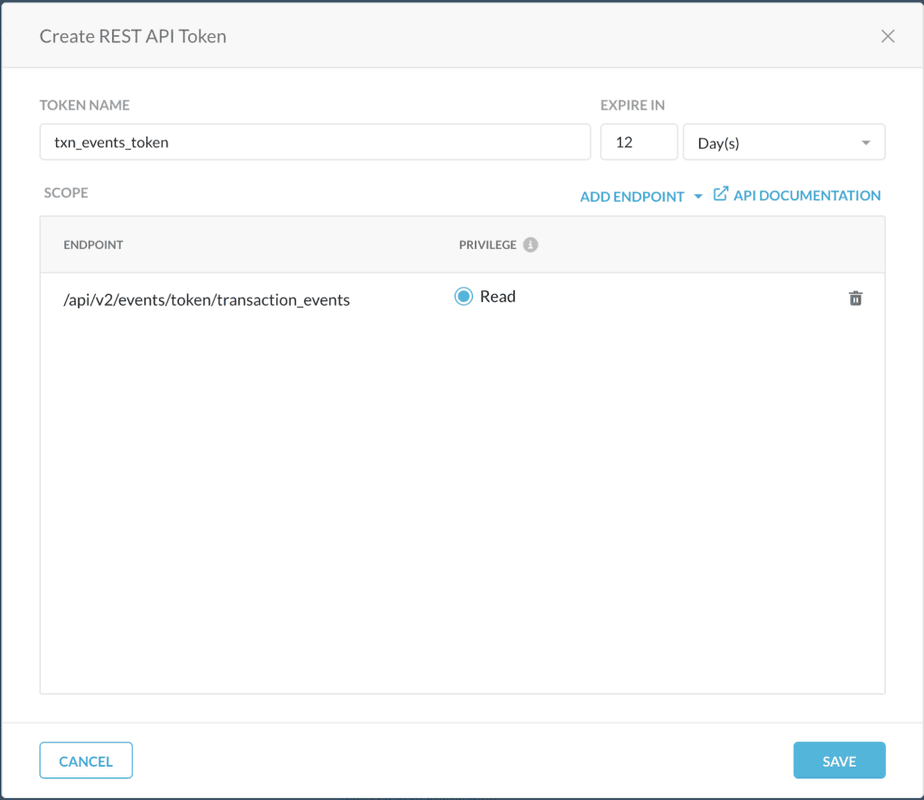
- Click Save. A confirmation box displays stating the token creation is successful.
- Click COPY TOKEN to save it for later use.
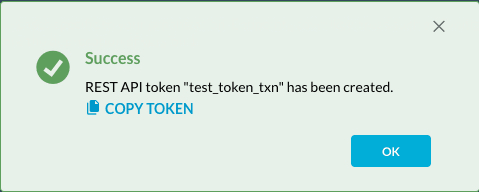
Warning Copy and store the API token securely. It will not be visible again after you close this screen.
Step 2 — Configure the Netskope Connector in Bloo
All connector configuration is done from the Datasource page in Bloo.
| Field | Description |
|---|---|
| Connector Name | Enter a name for the connector. |
| Tenant Domain | Enter the Tenant Domain. |
| API Token | Enter the API Token generated in Step 1. |
| Log Types | Select the log type from which you want to pull logs. |
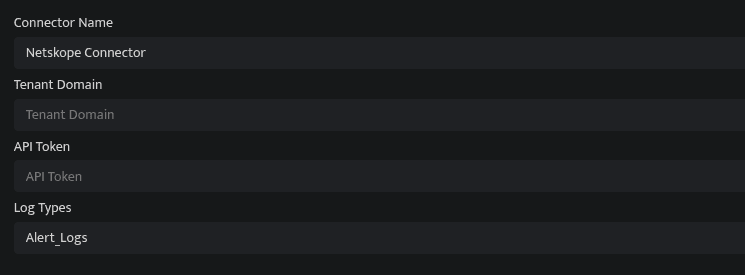
- Click Save after entering all the required details.
- Bloo will validate the configuration automatically.
- Navigate to Collection Status and confirm the connector is listed with a status of Active. This signifies the connector is configured successfully and data is ready to ingest.
Confirmed When the connector appears in Collection Status with status Active, it is configured successfully and data is ready to ingest.
Related Links
Bloo — Collection Status | Bloo — Connector Validation | Netskope REST API v2 Overview | Bloo — Troubleshooting Connector Validations
Related
Was this page helpful?