
How-to guides
Secure Compromised User Account
Automation examples for securing a compromised user account using Bloo SSH integration.
Updated 2026-08-17
Secure Compromised User Account
Automation Guide for Bloo
1. Overview
This article lists a few examples to help you quickly get started with the configuration process by demonstrating practical use cases for securing a compromised user account using Bloo's SSH integration.
2. Use Cases
2.1 Terminate Active Sessions
The below configuration allows you to connect to a host and run any commands:
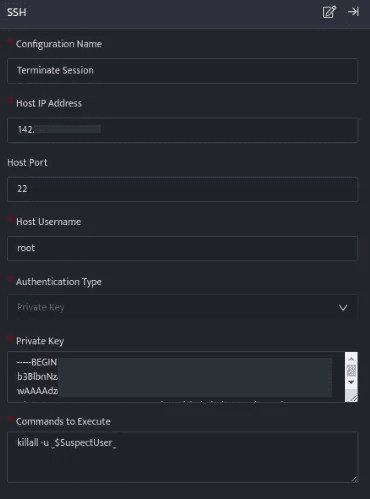
- In the above configuration, the killall -u command will terminate all active sessions for the specified user.
- Once the SSH integration is configured, run a search.
- In the above figure, a workbook named Response for Compromised Account is executed that displays a suspected User on execution of the workbook.

_trigger api ssh execute_command 'Terminate Session'
- Using the _trigger query, an API call is made to the SSH integration (Terminate Session) configuration, which will terminate the active sessions for the suspected user.
2.2 Reset Password
The below configuration allows you to connect to a host and run any commands:
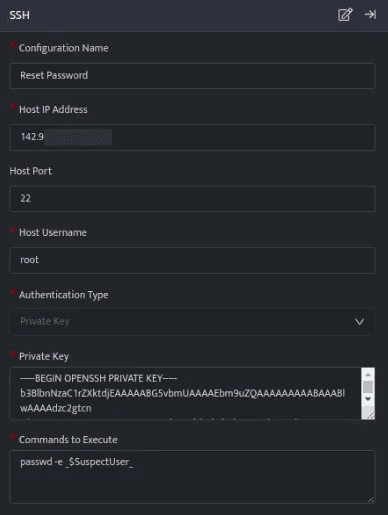
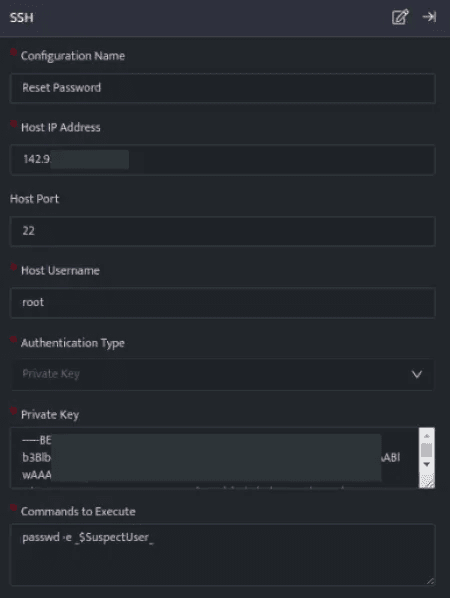
- In the above configuration, the passwd -e
<Username>command will reset the password of the specified user, forcing them to set a new password on next login. - Once the SSH integration is configured, run a search.
- In the above figure, a workbook named Response for Compromised Account is executed that displays a suspected User on execution of the workbook.
_trigger api ssh execute_command 'Reset Password'
- Using the _trigger query, an API call is made to the SSH integration (Reset Password) configuration, which will reset the password for the suspected user.
2.3 Kill a Suspicious Process
The below configuration allows you to connect to a host and run a command:
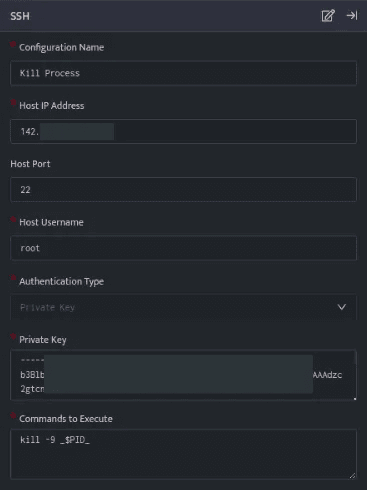
- In the above configuration, the kill -9
<Process ID>command will kill the specified Process ID. - Once the SSH integration is configured, run a search.
- In the above figure, a search query is executed that displays all the suspicious Process IDs against the respective DevSrcIP.
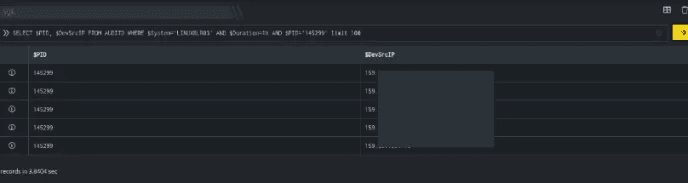
_trigger api ssh execute_command 'Kill Process' DevSrcIP
- Using the _trigger query, an API call is made to the SSH integration (Kill Process) configuration, which will terminate the processes running on the host DevSrcIP.
Related
Was this page helpful?