
How-to guides
Manage Token
Token management is the process used to authenticate third party applications to access Bloo Integration Services.
Updated 2026-08-16
Token management is the process used to authenticate third party applications to access Bloo Integration Services. It is used to secure user access to systems and applications. A token is generated from the Bloo console with all the details of the particular application. Users can access Bloo from an authorized third party application if authenticated using a valid token.
How to generate tokens?
- Hover on the System icon on the left sidebar of the Home screen, from the option displayed select Manage Tokens, the following screen will be displayed.
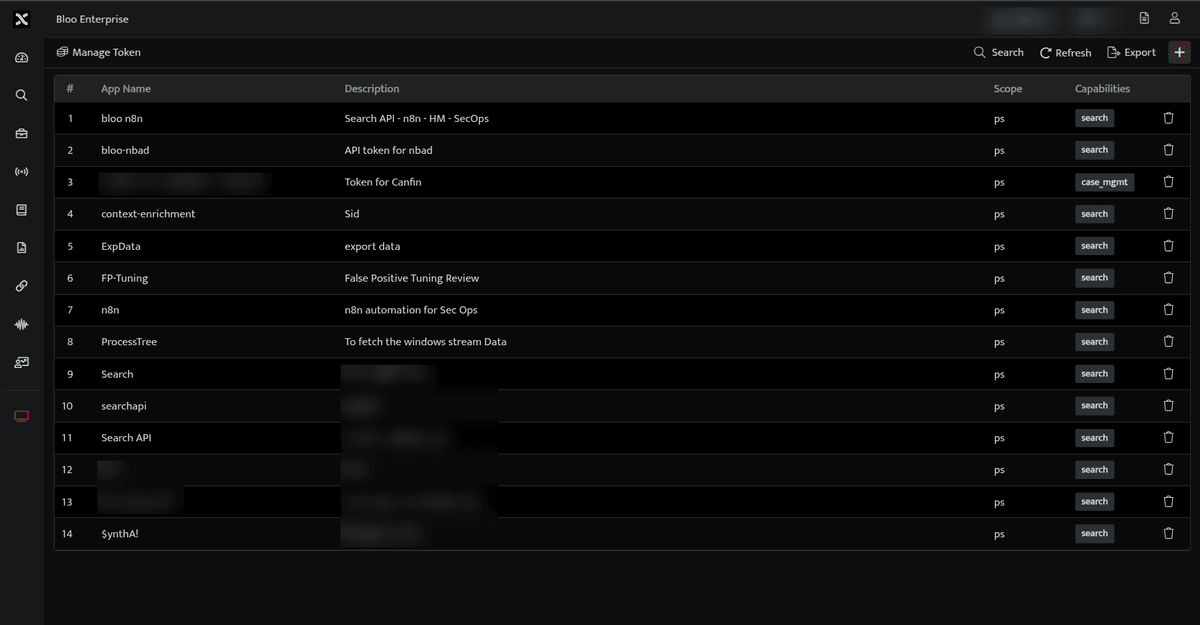
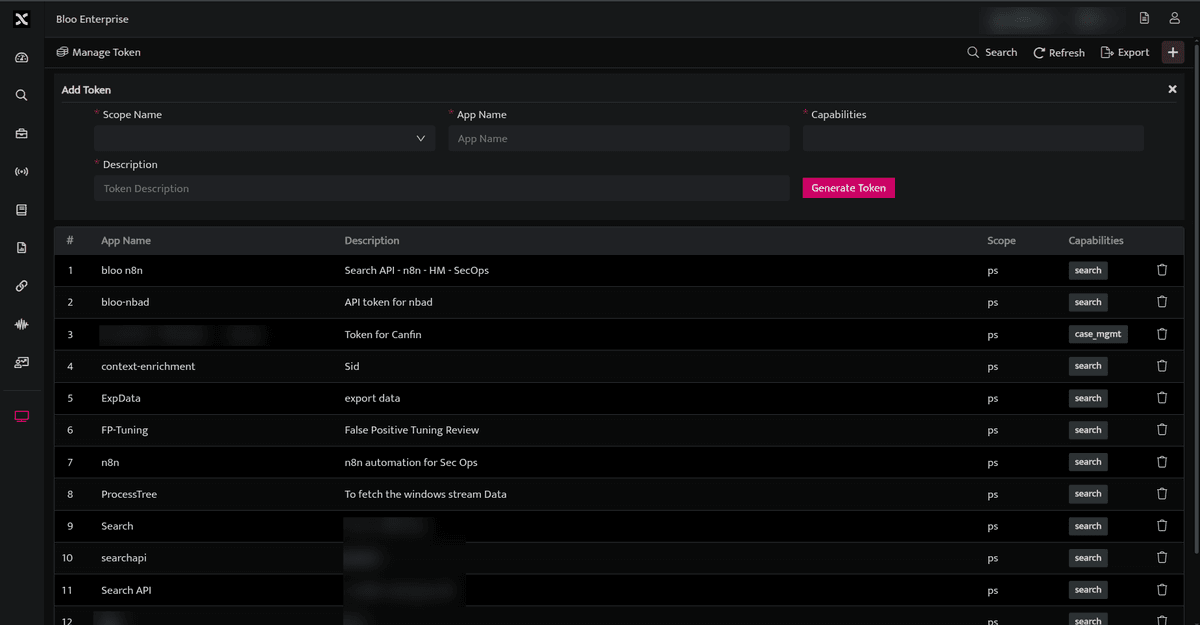
- Click plus icon to generate a token. The following Add Token screen is displayed.
The Add Token screen displays the following fields:
| Field Name | Description |
|---|---|
| Scope Name | Select the scope that you want to access. |
| App Name | Enter the Name of the application through which you will be accessing Bloo |
| Capabilities | Select the required capabilities. |
| Description | Enter a brief description explaining the reason why this token is generated. |
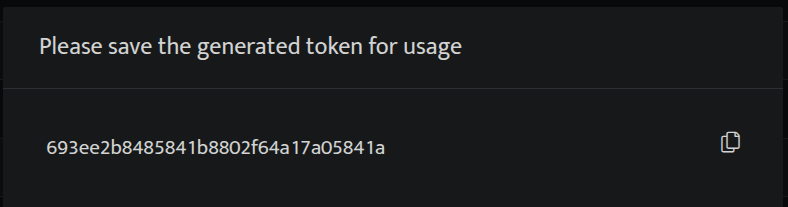
- Select / Enter the required details and click Generate Token, to generate a token. A window pops up displaying the generated token
- Copy this generated token and use this token to access Bloo through a third party application.
- Ensure to copy the token at this stage as the token won't be displayed again. Once you click outside this popup the generated token will be listed as follows.
- If you misplace the token, the application should be deleted from this list and a token should be generated again.
Related
Was this page helpful?