
How-to guides
False Positives
A false positive is a false alarm. This occurs when the system identifies an attack and triggers an alarm but it is acceptable behavior.
Updated 2026-08-17
Introduced in v9.2.0
A false positive is a false alarm. This occurs when the system identifies an attack and triggers an alarm but it is acceptable behavior.
False positives are security alerts indicating there is a threat but actually these are non malicious and are not threats.
Refer this video to tag/untag a signal as False Positive:
You can also tag/untag an already raised signal as false positive, following are the steps:
- On this same signal listing page, select the particular signal that you want to tag/untag as false positive.
- Click on the circle with the minus sign icon displayed next to the confidence column on the right against the signal and select Tag as False Positive/Untag as False Positive.
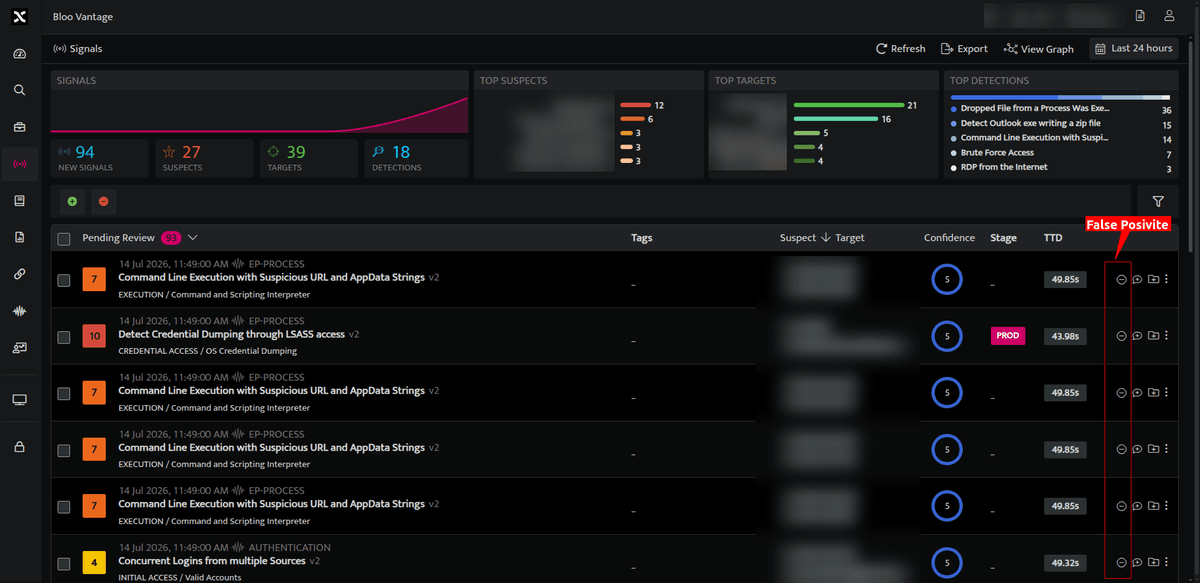
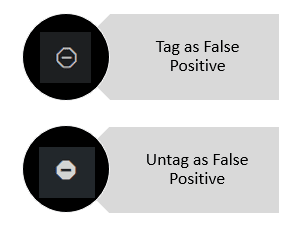
- Once tagged as false positive, signals will not be raised from this particular source.
- All signals tagged as false positive can be viewed under Triaged Signals on the signals list page.
- Signals that are untagged as False Positive can be viewed under the Pending Review signals list page.
- You can also tag/untag multiple signals at a time.
Related
Was this page helpful?