
Connectors
Device42 Connector
Connectors in Bloo
Updated 2026-08-17
Overview
Device42 integrates with Bloo using the Device42 Connector. Device42 provides automated, comprehensive hybrid IT infrastructure discovery — pinpointing over-provisioned or under-utilised assets, redundant software, and data centre power and thermal issues. This connector retrieves audit logs from the Device42 application and ingests them into Bloo.
Prerequisites
The following are required before configuring the connector in Bloo:
- User — Device42 username with API access.
- Password — Password for the above Device42 user.
- Tenant Details — Your Device42 tenant name.
Before You Begin
ℹ This integration uses Device42's Basic Authentication. Keep the following in mind: - Ensure the Device42 user account has the required permissions to access the API. - To grant a user API-only access (without UI login), navigate to Tools → Admins & Permissions → Administrators and deselect Staff Status for that user. - Reference: Device42 API Documentation
Configure the Device42 Connector in Bloo
All connector configuration is done from the Datasource page in Bloo.
| Field | Description |
|---|---|
| Connector Name | Enter a name for this connector. |
| Username | Enter the Device42 username. |
| Password | Enter the Device42 password. |
| Tenant Details / URL | Enter your Device42 tenant name or domain URL. |
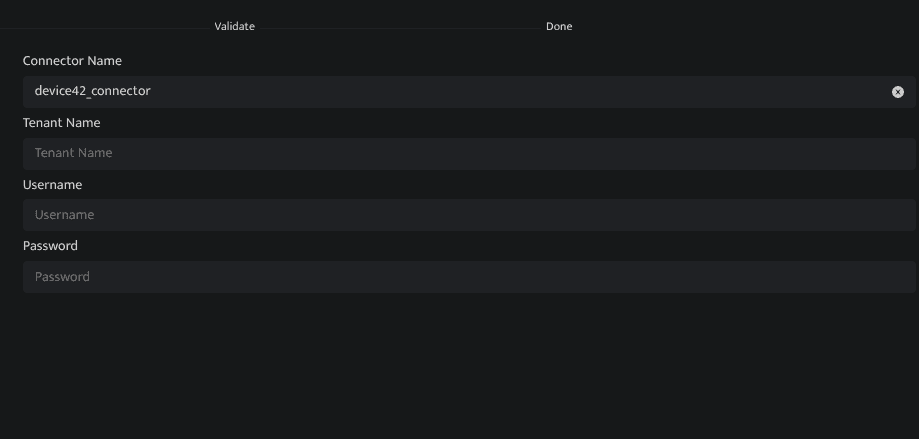
Click Save after entering all the required details.
Bloo will validate the configuration automatically.
Navigate to Collection Status and confirm the connector is listed with a status of Active.
✓ When the connector appears in Collection Status with status Active, it is configured successfully and data is ready to ingest.
Related Links
Bloo — Collection Status | Bloo — Connector Validation | Device42 API Documentation | Device42 — Admins & Permissions
Related
Was this page helpful?