
Connectors
Cyble Vision Connector
Connectors in Bloo
Updated 2026-08-17
Overview
Cyble Vision is a cloud-based threat intelligence platform that delivers real-time insights into emerging cyber threats. It empowers organizations to proactively identify, track, and mitigate potential risks. One of its key features is brand monitoring, which generates alerts upon detecting instances of brand misuse. Leveraging AI, Cyble Vision offers businesses a comprehensive view of their external threat landscape by gathering intelligence from the dark web, deep web, and surface web. Bloo integrates with Cyble Vision to collect and monitor Cyble Vision alert logs in real time.
Prerequisites
- Cyble Vision account with admin access
- Access Key
ℹ Admin user access is required for creating the API Access Key.
Generate an API Access Key
Log in to your Cyble Vision account at https://cyble.ai using admin credentials.
Go to the Utilities section. This section provides options for API access management.
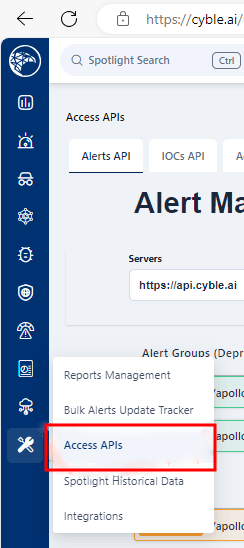
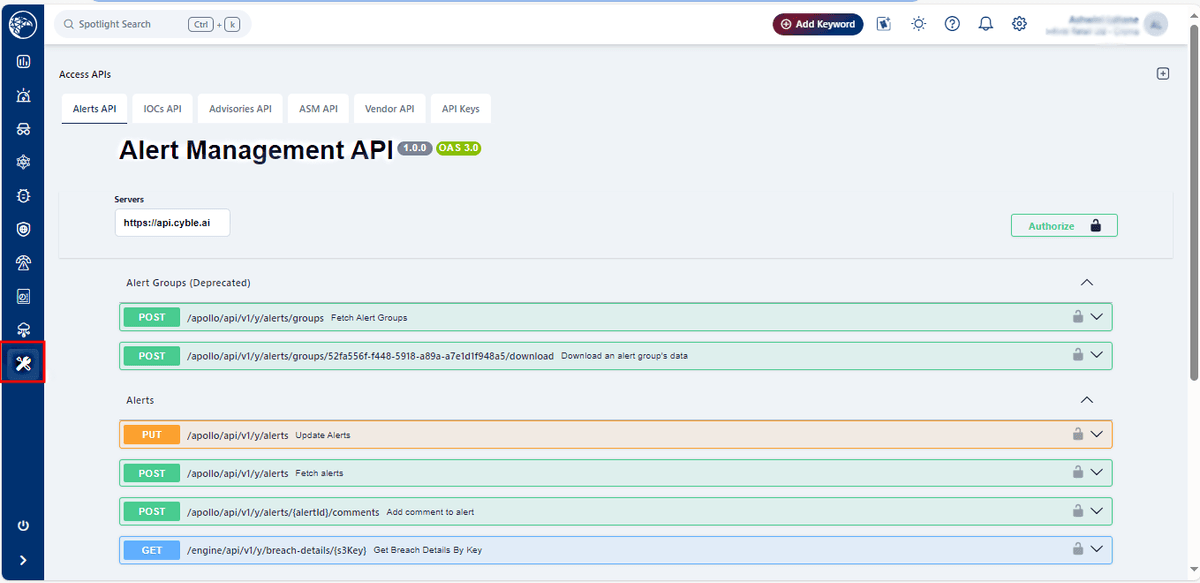
- Navigate to Utilities → Access API.
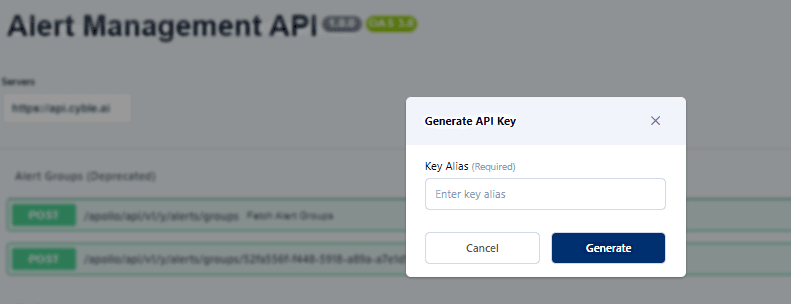
- A window will appear prompting you to provide an Alias Name for the API key. This name helps identify the key's purpose or user. Enter a name and click Generate.
- A new window will appear displaying the Access Key. Copy it and store it in a secure location.
⚠ Copy the Access Key immediately and store it securely. This key will be used to configure the connector in Bloo.
Configure the Cyble Vision Connector in Bloo
All connector configuration is done from the Datasource page in Bloo.
| Field Name | Description |
|---|---|
| Connector Name | Enter a name for the connector. |
| Access Key | Enter the Access Key generated above. |
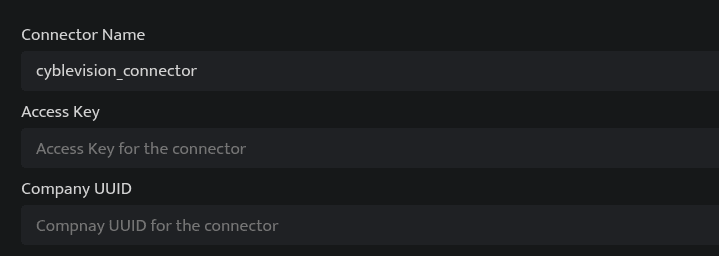
Click Save after entering all the required details.
Bloo will validate the configuration automatically.
Navigate to Collection Status and confirm the connector is listed with a status of Active. This signifies the connector is configured successfully and data is ready to ingest.
✓ When the connector appears in Collection Status with status Active, it is configured successfully and data is ready to ingest.
Related Links
Bloo — Collection Status | Bloo — Connector Validation | Cyble Vision | Bloo — Troubleshooting Connector Validations
Related
Was this page helpful?