
Connectors
Syslog Connector
Connectors in Bloo
Updated 2026-08-17
Overview
Syslog Connector can receive logs from various devices and log sources via UDP connection on port 514 of the Adapter.
Prerequisites
- Ensure that port 514 UDP is open and is not occupied by some other services to enable forwarding of log events.
- Log in to the server as the root user.
- Install syslog package, if you haven't installed it using the below command:
apt-get install rsyslog- Edit rsyslog configuration with
vim /etc/rsyslog.d/50-default.confand paste following line below
*.* @Bloo-LB/DS-IP:514- Save the syslog configuration file.
- Restart the rsyslog service using the below command
/etc/init.d/rsyslog restartConfigure the Syslog Connector in Bloo
All connector configuration is done from the Datasource page in Bloo.
| Field Name | Description |
|---|---|
| Connector Name | Enter a name for the connector. |
| Listener Port | Enter the port number at which you want to start the connector. |
| Number of Processes | Number of processes to run for the connector. |
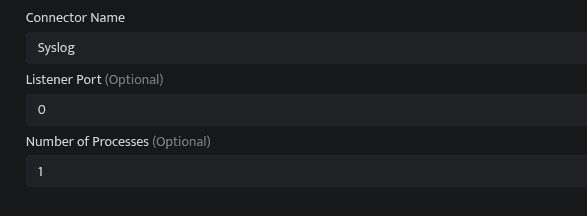
- Click Save after entering all the required details.
- Bloo will validate the configuration automatically.
- Navigate to Collection Status and confirm the connector is listed with a status of Active. This signifies the connector is configured successfully and data is ready to ingest.
✓ When the connector appears in Collection Status with status Active, it is configured successfully and data is ready to ingest.
Related Links
Bloo — Collection Status | Bloo — Connector Validation | Bloo — Syslog Troubleshooting | Bloo — Troubleshooting Connector Validations
Related
Was this page helpful?